Product Description
The key features commonly found in barcode label designing and printing software, especially those suited for industrial, retail, and logistics environments:
Core Label Design Features
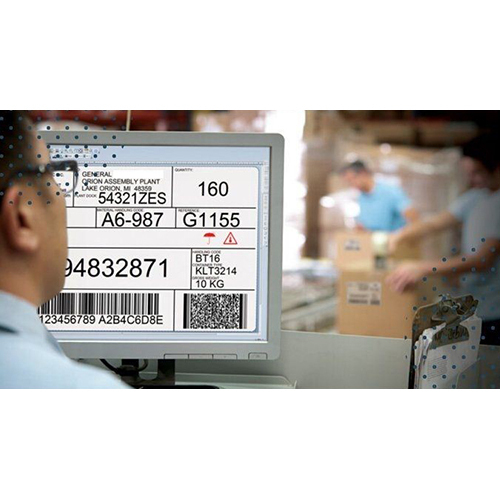
- WYSIWYG Editor: Drag-and-drop interface with rulers, grids, and alignment tools
- Barcode Support: 1D (Code 39, UPC, EAN) and 2D (QR, DataMatrix, PDF417) formats
- Text & Graphics: Add logos, product info, serial numbers, and dynamic text fields
- Templates: Pre-designed label layouts for shipping, inventory, retail, and compliance
Data Integration & Automation
- Database Connectivity: Link to Excel, CSV, SQL, Access, or ODBC sources
- Dynamic Fields: Auto-populate labels with product data, prices, dates, or serials
- Batch Printing: Generate hundreds of labels from a single dataset
- REST API / CLI Support: Automate printing from external systems or scripts
Advanced Capabilities
- RFID Encoding: Design and print RFID tags with embedded data
- Conditional Logic: Show/hide elements based on product attributes or rules
- Scripting Support: Use VBScript, JavaScript, or Pascal for custom logic
- GS1 Compliance: Generate standardized barcodes for global supply chains
Printer & Output Options
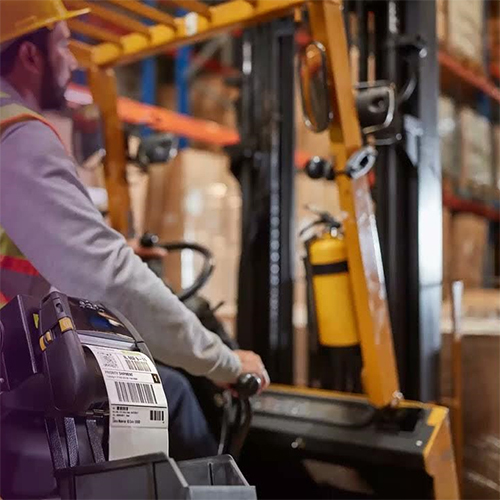
- Thermal Printer Support: Compatible with Zebra, TSC, SATO, Honeywell, etc.
- Print to File: Save labels as PDF, PNG, JPEG, or PRN for remote printing
- Multi-Printer Management: Route jobs to different printers based on label type
- Print History & Reprint: Track jobs and reprint labels as needed
Security & Compliance
- User Roles & Permissions: Control who can design, edit, or print
- Audit Trails: Log changes and print actions for regulatory compliance
- Label Versioning: Track revisions and maintain design history
Multiple Barcode Types SupportedCreate labels using a range of barcode symbologies including Code39, Code128, QR Code, Data Matrix, and more. This flexibility ensures compatibility with diverse product packaging and inventory systems.
Customizable Label DesignThe software's graphical WYSIWYG interface makes it easy to design labels to meet specific requirements. Adjust layouts, add logos, and tailor label formats for your brand or organizational needs.
Efficient Printing And Data ImportPrint batches of labels using thermal, laser, or inkjet printers. Import data seamlessly from CSV, Excel, or Access databases, enhancing workflow efficiency and reducing manual input errors.





 Send Inquiry


